
Free · private · no account
Tools
Five practical tools for the things brain injury makes hard. Everything saves itself as you go; there are no save buttons and nothing to load.
Five tools for the things brain injury makes hard. Everything saves itself.
It all runs in your browser, on your device. Nothing is uploaded and nobody else can see it.
Where your data lives. Everything stays in this browser on this device. It won't follow you to another device, and clearing your browser data will erase it. If you're in private browsing, saving may not work at all, the tools will still run, but only until you close the tab.
Calm & overload reset
Breathing out for longer than you breathe in calms the body's stress response. Follow the ring. You don't have to get it exactly right.
Take your time. Press start whenever you're ready.
Grounding: 5–4–3–2–1
If your head is spinning, name, silently or aloud, five things you can see, four you can feel, three you can hear, two you can smell, and one you can taste.
Go slowly. Getting the number wrong doesn't matter.
Keep it short
Two or three minutes is plenty. If you feel light-headed, stop and breathe normally for a bit.
Overload reset
For when it's already tipped over. Work down the list. You don't need all of it.
Pacing timer
Work in short blocks and stop before you're tired, not after. Stopping while you still feel fine is the whole technique.
Ready, activity block
Blocks completed today: 0
What counts as a real break
Sitting or lying somewhere quiet and dim with your eyes closed. Slow breathing. Stepping outside. Doing genuinely nothing.
Not a break: phones, social media, email, television, or conversation. Those are more work for the same tired systems.
Focus reader
Long text is hard when your eyes skip lines or your attention slides. Paste anything in and read it a piece at a time.
…
You can also use the left and right arrow keys, or the space bar.
Appointment prep
Add things as they occur to you in the days beforehand, while you're thinking clearly. Then print the list and take it with you.
Worth asking every time
- What's the plan, and what happens next?
- Who do I contact if things get worse?
- Should I be referred to anyone else?
- Is there anything I should stop or start doing?
- Can you write the main points down for me?
Line by Line Reader
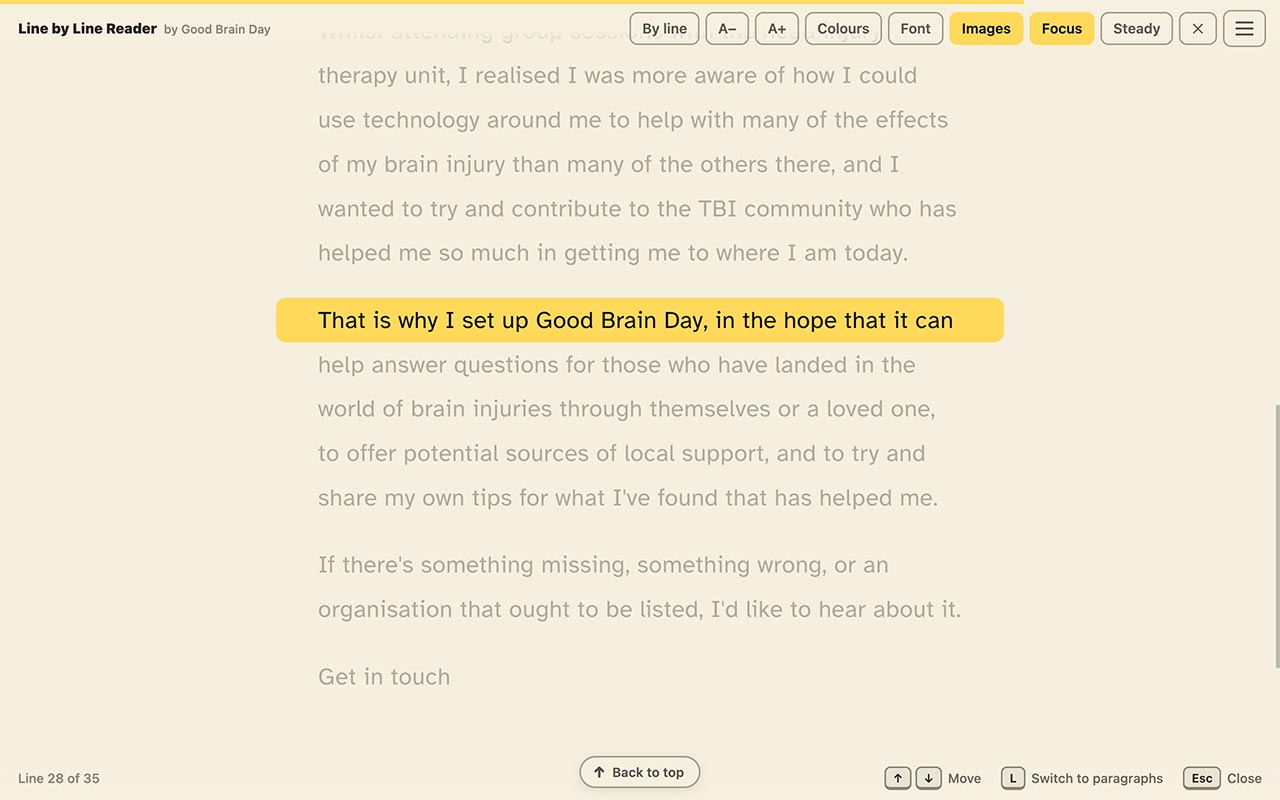
A free Chrome browser extension, not something built into this website, that highlights one line or one paragraph of any web article at a time, so your eyes always know exactly where to look next.
What it does
Once it's installed in Chrome, Line by Line Reader works on almost any article, anywhere on the web. Click its button and it highlights one line, or one paragraph, at a time, dimming the rest of the page.
Move through the text with the up and down arrow keys on your keyboard. There's nothing to scroll and nowhere for your eyes to lose their place.
Installing and pinning it
- Open the Chrome Web Store link below and click Add to Chrome.
- Click the extensions button, a small puzzle-piece icon to the right of the address bar.
- Find Line by Line Reader in the list and click its pin button.
- Its icon now stays visible next to the address bar, so it's always one click away.
Worth knowing: pinning is optional, but without it the icon hides behind the puzzle-piece button, an extra click every time you want to use it.
Get it from the Chrome Web Store ↗
Opens Google's Chrome Web Store in a new tab. It's a Chrome browser extension, so it only works in Chrome.
Good to know
This is a separate browser extension, so it isn't private and on-device the way the tools above are. It follows its own privacy policy, which you can read on the Chrome Web Store page.
Is there a tool that would help you?
This site is built from what actually helps people. If you know something that should be here, please say so. It takes a moment and every suggestion gets read.